
Every ticket, attachment and customer e-mail stays inside your walls
QuerySolv is built to keep the work inside your walls: pages that fetch nothing from the internet, no vendor cloud behind any request, and integrations that carry metadata instead of message bodies. That is data sovereignty by construction, not by region selection.
- Outbound connections go to systems you configure. The exceptions are ours and are listed below: a crash report after an abnormal exit, and license checks against our license server.
- Webhooks and the API event feed carry ticket metadata, never message text, internal notes or attachments.
- No self-registration, hashed credentials, encrypted secrets, and a lockout that cannot be turned on your own staff.
- The public form is defended without a CAPTCHA, and the manual ships a 16-point hardening checklist.
What leaves the buildingDefaults that holdThe public formEvidence for the audit
What leaves the building
Outbound connections go to systems you configure. The exceptions are ours, and we would rather tell you about them than have you find them. This is everything the manual documents, plus the one connection we plan to add.
| The POP3/IMAP mailbox and the SMTP sender you set for each department. | |
| Your own infrastructure | The database server, if you are not using the built-in SQLite file, and your domain controller, if you use Active Directory sign-in. |
| Social | Polling of X, Facebook Messenger and Instagram direct messages, if you switch those channels on. |
| Webhooks and the API event feed | These carry ticket metadata only: the ticket number, subject, status and the like, and who acted. Message text, internal notes and attachments are never in the payload, and no interface returns message text to a program. |
| The REST API | A token you issue can read ticket details and download a ticket's attachments, though never a file attached to an internal note. That is why tokens are read-only unless you say otherwise and can be tied to one department. |
| AI hooks | If you enable a hosted provider, a draft request sends that ticket's conversation, including internal notes, and the requester's name. The manual says so in plain words. The local-command hook is the alternative that can keep it on the server. See AI on your terms. |
If the service or the control panel ends abnormally, a diagnostic report is kept on the server, and the service sends queued reports to us the next time it starts.
The software may check the installed license key against our license server. It is a check of the key, not of your data.
By default, outbound HTTPS to AI providers, social platforms and webhook endpoints is verified against the Windows trust store, so the service will not talk to a spoofed endpoint.
Defaults that hold
No self-registration anywhere
Agent accounts exist only in the desktop control panel. The web interfaces cannot create an account, so there is no sign-up page to attack.
Credentials you cannot read back
Passwords are salted one-way hashes. API tokens are shown once and stored hashed. Mailbox, AI, webhook and social secrets are encrypted at rest.
A lockout that cannot be turned on your own staff
Five failures in 15 minutes lock the account-and-address pair, not the account. Someone guessing from outside cannot lock a real agent out.
Hardened sessions
Agent sessions are server-side, in HttpOnly, SameSite=Strict cookies scoped to the workspace and bound to the device fingerprint. A session ends after 12 hours however busy the agent is; they can renew it from the warning, up to ten times. TLS 1.2 with a strong cipher list. The requester portal sets no cookies at all.
Inbound mail rendered safely
HTML e-mail opens in a sandboxed frame that cannot run scripts or load remote images. Tracking pixels never fire.
Existence hiding
Nobody can map your ticket numbers, customers or departments by probing. Out-of-scope tickets report “no longer exists.” Department-scoped API tokens get a 404 rather than a 403. Lookups never say which field was wrong.
A public form defended without a CAPTCHA
- A signed, single-use form token is deployed.
- No JavaScript is required, and nothing is sent to a third-party verification service.
- A refused submission comes back with everything but its attachments still filled in, and a short note. A real person just presses Submit again. The per-network cap is the one refusal that asks for patience: it says so and asks the visitor to wait about ten minutes.
- An optional plain-language arithmetic question adds a visible gate.
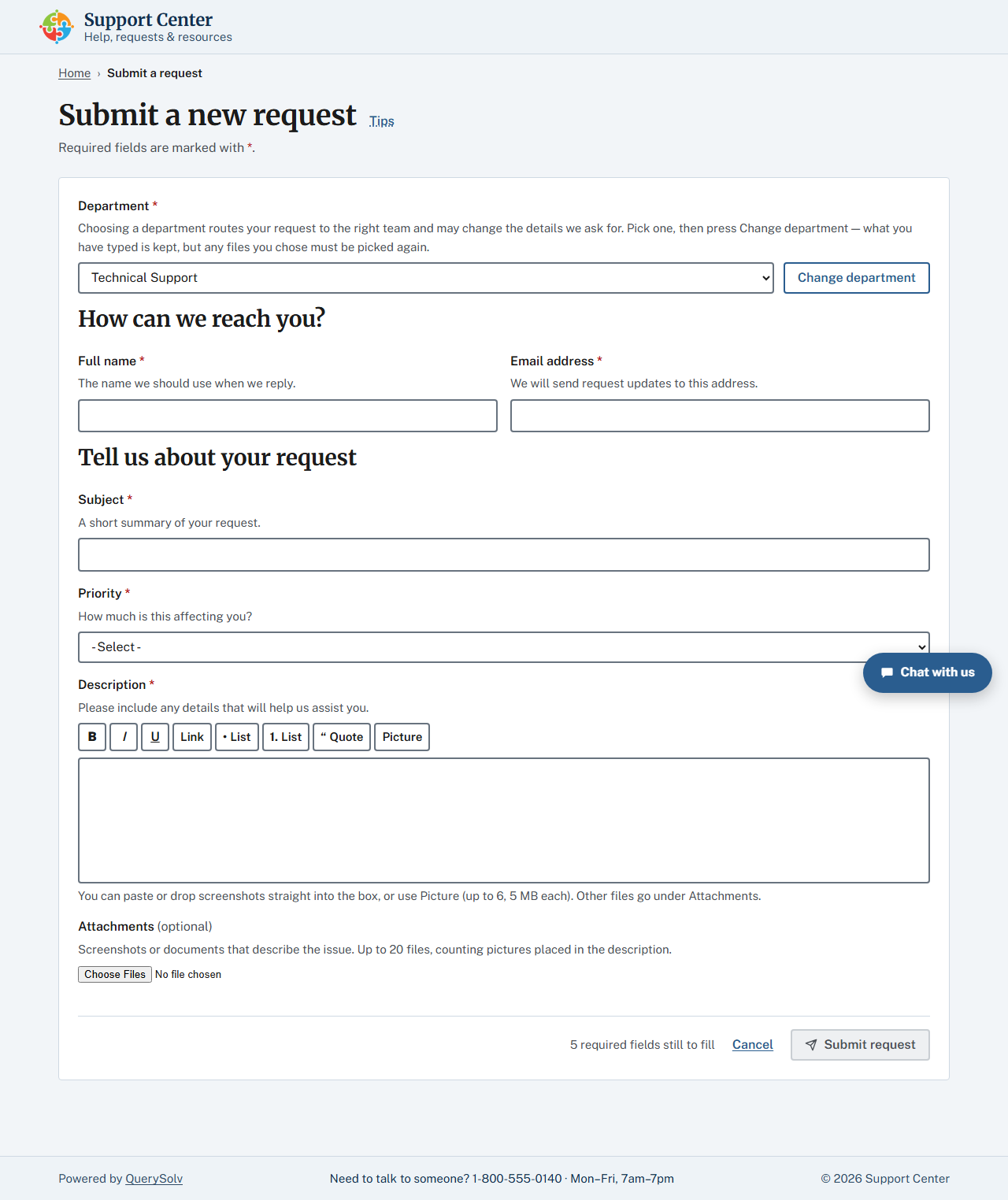
The public request form. Its defenses are in the token and the timing, not in a puzzle for the visitor. Click for the whole page.
Evidence for the audit
The application log
Sign-ins, failures, lockouts, password changes, ticket actions and mail-screening decisions are all written to it. The log is trimmed at 2 MB by default, so raise that limit or copy the file off on a schedule if you need a long history.
Every ticket event
Recorded in the database with a state snapshot, and tickets cannot be deleted by anyone.
Webhook deliveries
Kept for 30 days with their frozen payloads.
The hardening checklist
The manual ships a 16-point hardening checklist your team can actually complete.
Who this matters to most
Factories, hospitals, schools, public bodies, and anyone whose network is locked down on purpose. If your security team's first question is “where does the data go?”, the answer is the list at the top of this page, and it fits on one screen.
Put it on your network and watch what it talks to
Download the installer and start the service. It runs for 30 days with every Professional edition feature and unlimited agents, and the list above is the whole of what it connects to.
 Download Installer with Free Trial