
A portal that works on any browser and no account
A customer on a locked-down kiosk with JavaScript off can open a ticket and follow it to the end. QuerySolv is one of the very few help desks whose request, status, reply and rating pages all work without an account, a password, a cookie, a script or a modern browser.
- No accounts, no passwords and no cookies (GDPR compliant without need for consent). Requesters are identified by e-mail address.
- Submitting, checking status, replying and rating all work with JavaScript off, on browsers as old as Internet Explorer 11.
- Each department shapes its own request form, with custom fields of five types.
- Seven themes plus a custom one, your logo, and your own HTML blocks, on the Professional and High Availability editions.
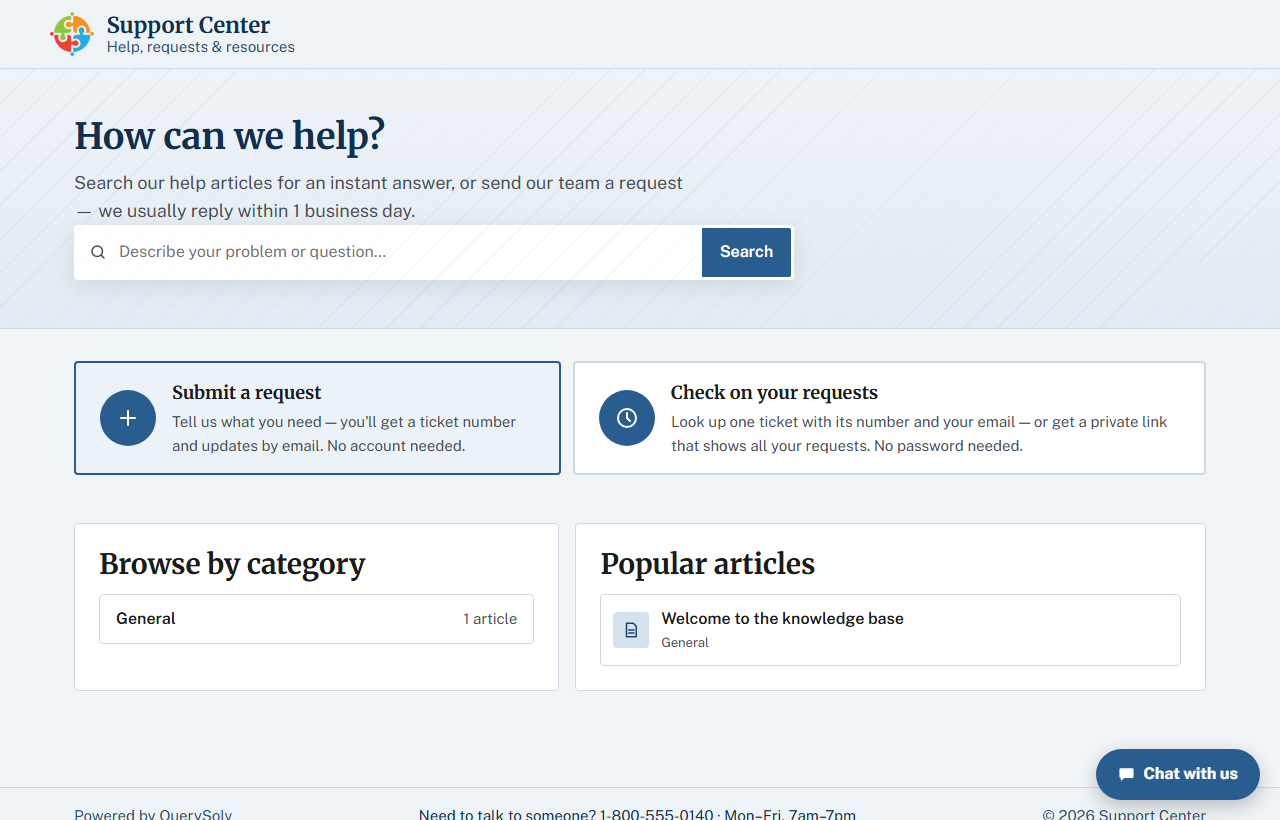
The portal home page in the stock Support Center look. Search the knowledge base, submit a request, or check on one, with no sign-in anywhere.
No accounts, ever
Identified by e-mail address
There is no password database for you to protect, and no password for them to forget.
Two ways to check status
A requester enters the ticket number and their e-mail address, or asks for an e-mailed link that lists every request for that address across departments. The link lasts up to 24 hours.
Nothing to enumerate
The link page answers identically for known and unknown e-mail addresses, so it cannot be used to find out who you support.
Everything a requester can do, and what it takes
| They want to | They do | They need |
|---|---|---|
| Raise a request | Pick the department and fill in its form, with attachments if they have them. | Nothing. A ticket number comes back on the confirmation page. |
| Check on one request | Enter the ticket number and their e-mail address. | The number they were given. |
| See all their requests | Ask for a link, e-mailed to their address, that lists every request across departments. | Access to that mailbox. The link lasts up to 24 hours. |
| Reply, or reopen | Reply from the status page. A reply to a finished request reopens it, and the page says so first. | The same ticket number and address. |
| Rate the outcome | Open the single-use link in the agent's resolving reply and give a 1 to 10 score. | That e-mail. No sign-in. |
| Find the answer themselves | Search the public knowledge base. | Nothing. Article pages show their search terms highlighted. |
Works in any browser
- Submitting a request with attachments, checking status, reading and replying, asking for the all-my-requests link and rating, can all complete with JavaScript disabled. The portal is plain forms.
- A built-in styling fallback keeps pages presentable on browsers as old as Internet Explorer 11.
- Pages load no external assets, so they work with no route to the internet.
- The requester pages set no cookies at all, so there is nothing for a cookie banner to announce.
- Built to the WCAG 2.2 AA accessibility baseline, the level that EN 301 549 and Section 508 build on.
That covers factory-floor terminals, hospital workstations, school labs and the aging PC in the corner of the warehouse.
Live chat is the one requester feature that needs JavaScript, and it offers a working alternative link when scripts are off.
The agent workspace needs a current browser with JavaScript.
Forms shaped by each department
Each department sets its own request form: name as one box or as first and last, phone, mailing address, attachments, and custom fields of five types. Each team collects what it needs on the first contact instead of asking follow-up questions.
Text Multi-line Number Checkbox Dropdown
The form, confirmation and status pages also come in chrome-less versions, so you can embed them in your own site.
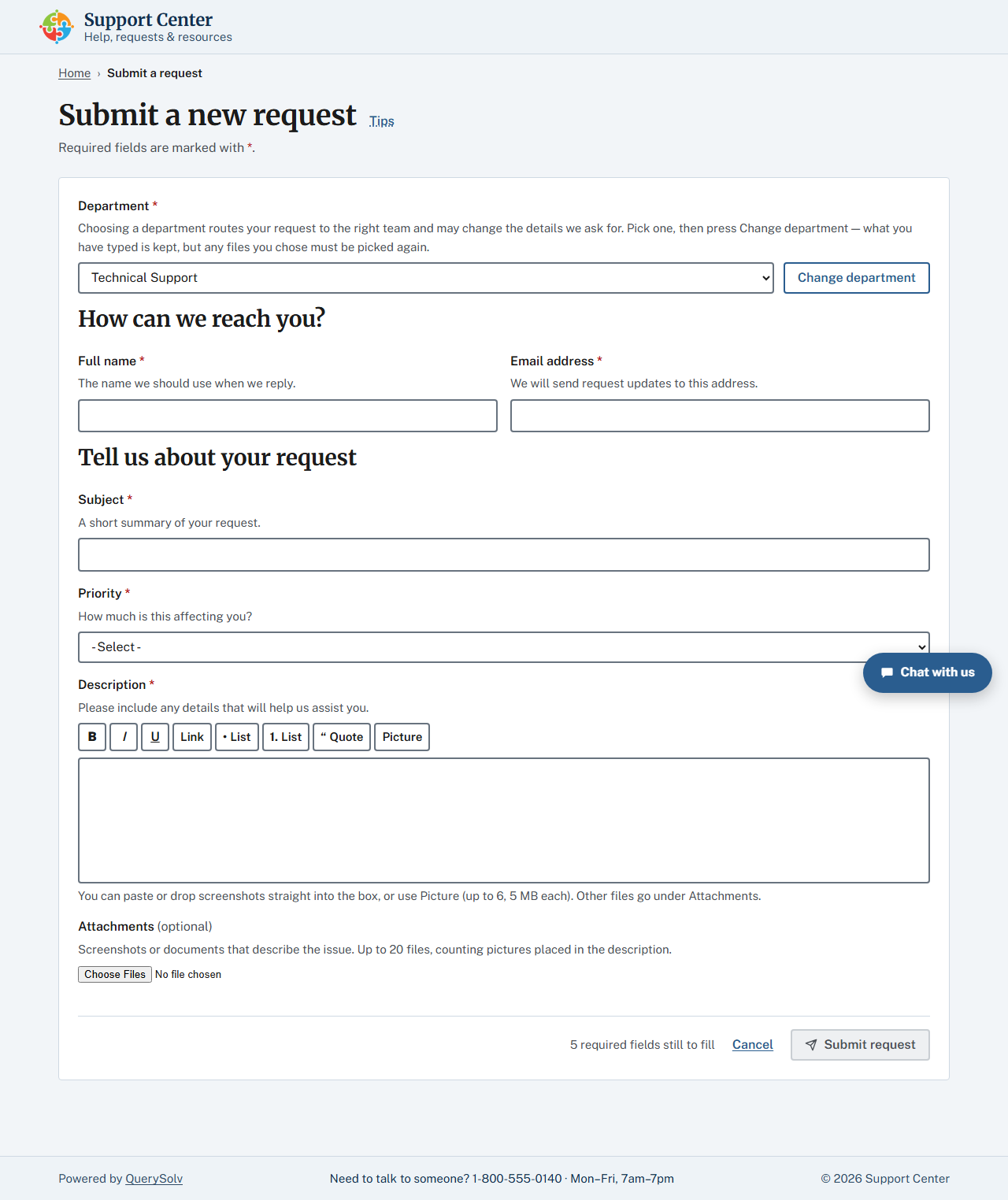
The request form. Choosing a department can change the fields that follow. Click for the whole page.
Follow, reply and rate
Status and reply online
The requester sees the full conversation in date order and can reply with light formatting. A reply to a finished request reopens it, and the page says so first.
A public knowledge base
Search, category chips and article pages with the search terms highlighted. View counts show you which answers are actually read.
A rating people will actually give
A single-use page with a 1 to 10 score and an optional comment, reached from the link in the agent's resolving reply. No sign-in.
Your name on it Professional+
Themes
Seven designed portal themes, plus a Custom theme built from four colors you pick.
Your identity
Your organization name, tagline, footer, contact line and logo. The “Powered by” line can go.
Your own HTML
Three custom HTML blocks (head, header and footer), up to 32 KB each, for your own site chrome, fonts or analytics.
Applied on save
Branding is read fresh on every page render, so changes apply the moment you save, with no restart. The live chat widget keeps its own neutral look, and outgoing e-mail uses fixed wording under your sender name.
Custom branding is part of the Professional and High Availability editions. The Free edition uses the stock “Support Center” look.
Spam kept out without a CAPTCHA
The public form is defended by a signed single-use token. None of it needs JavaScript or a third-party verification service. Details are on the security page.
Open the portal on the oldest machine you have
Download the installer and start the service. It runs for 30 days with every Professional edition feature and unlimited agents. The portal is at the server's address, ready for a test request.
 Download Installer with Free Trial