
Everything the service does, section by section
Everything on this page ships in the product today. Whether you call it a help desk, a ticketing system, a trouble ticket system or issue tracking, the parts are the same. Where the manual documents a limit, we state it here too. If you run the support team, the page for support managers covers the same ground from your side of the desk.
- Five ways in, one queue: the web form, e-mail, live chat, social direct messages and the REST API.
- A browser workspace with tabbed tickets, drag-to-merge, full-text search and predefined replies.
- Departments with their own forms, mailboxes, SLA rules and per-agent permissions.
- SLAs measured in your working hours, seven question-led reports, and a knowledge base indexed by the service itself.
ChannelsAgent workspaceDepartments and permissionsService levelsKnowledge baseReportsIntegrationsRunning it
How requests arrive
Whatever route a request takes, it becomes the same kind of ticket: numbered, stored, indexed and tracked identically, so reports and SLAs compare like with like.
The web form
The requester picks a department and fills in the fields that department asks for. No account is needed.
Per-department mailboxes
Each department has its own POP3/IMAP mailbox and SMTP sender, each with a live test button.
E-mail that threads properly
Replies are matched by message identity, then References, then the ticket number in the subject. Quoted history is trimmed, cautiously.
Mail screening with a review queue
Rules on sender, subject, domain, body or attachment name can Block, Allow or Hold for review. Built-in heuristics drop bounces, auto-replies and bulk mail. Junk never becomes a ticket, and a held message waits up to 60 days for a person to approve or delete it.
Live chat Professional+
A self-contained widget you embed by iframe. A ticket is created on the visitor's first message, so every chat has a history.
Social direct messages Professional+
X, Facebook Messenger and Instagram DMs become tickets, and agent replies post back through the same conversation.
REST API intake Professional+
Monitoring systems, forms and portals can open and follow tickets, with full SLA coverage.
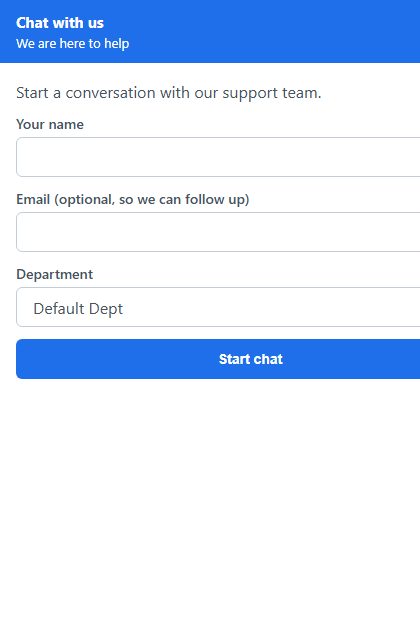
The chat widget, as a visitor sees it.
The agent workspace
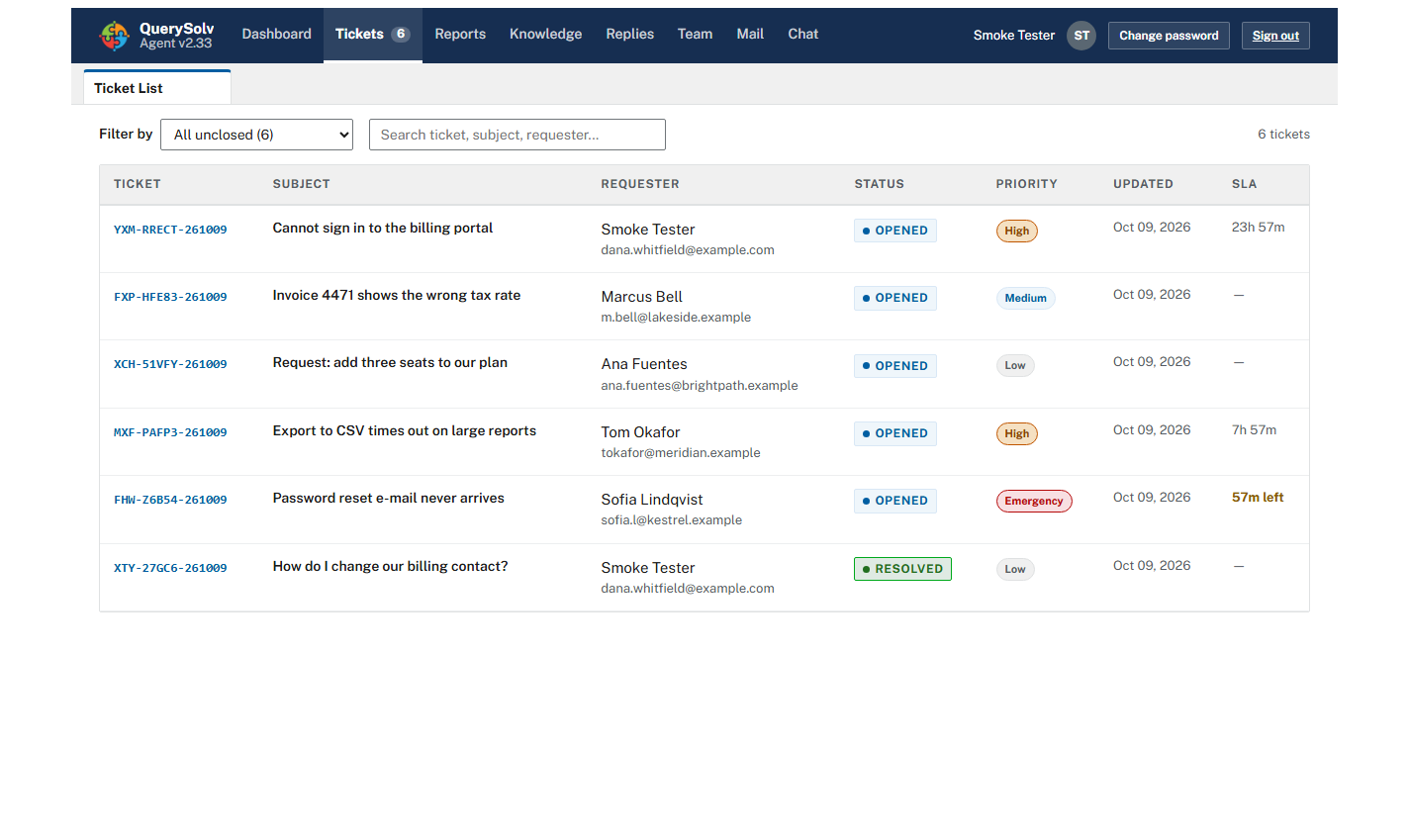
The ticket list: status badges, priority pills and an SLA countdown on every covered ticket.
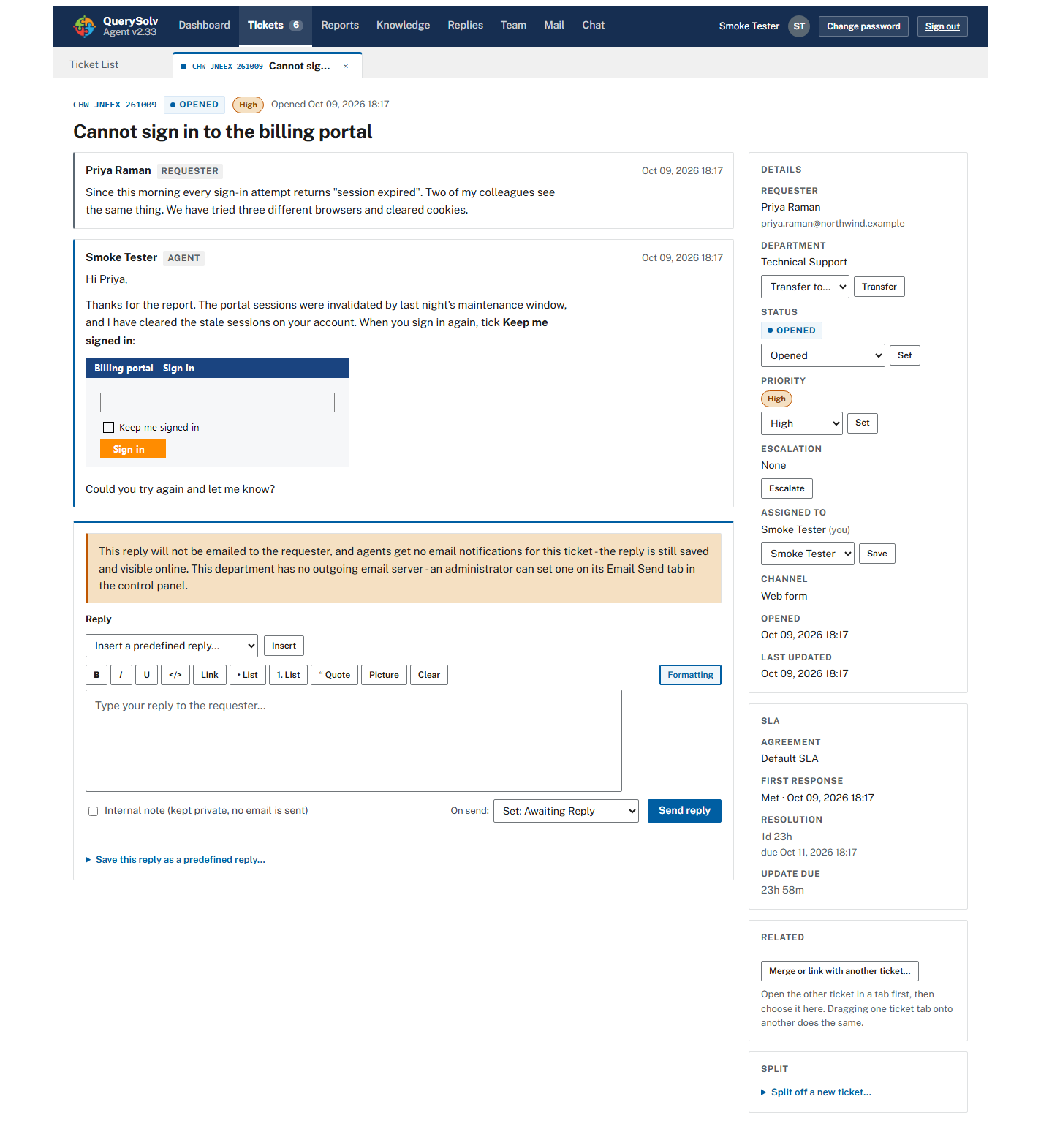
An open ticket. The sidebar holds status, priority, escalation, assignment and the SLA panel. Click for the whole screen.
A dashboard that ranks the day
Counters for waiting on you, waiting on customer, response overdue, due within an hour and recently reopened, plus a “needs attention now” list.
Safe rendering of inbound mail
HTML e-mail opens in a sandboxed frame that cannot run scripts or load remote images.
A private progress card
Each agent sees their own first-response streak, personal records and badges. Nobody else does: there is no leaderboard and no supervisor view, and an administrator can switch the card off per agent.
Departments, routing and permissions
Departments that are really separate
Each has its own form, custom fields, mailbox, sending identity, SLA rules and per-agent permissions. One installation can serve IT, facilities, HR and a customer-facing team.
Granular permissions, four presets
Set per agent, per department, from Trainee to Senior. Scoping is enforced everywhere: queue, search, direct links, replies, reports and chat.
Automatic routing
The requester picks a department on the web form, mailboxes belong to departments, a chat visitor picks the department, social channels route to the department you configure, and an API token can be bound to a single department.
Clear ownership
Any agent who can see an unassigned ticket can claim it, and the first public reply to one claims it automatically. If two agents claim at the same moment, one wins and the other is told. An agent who is assigned a ticket by someone else is e-mailed.
Escalation levels
Each press of Escalate raises a ticket one level, up to nine, and Clear resets it. Escalation flags a ticket for attention without changing its SLA clock.
Complete event history
Every reply, note, status change, assignment, transfer, merge, split and SLA breach is recorded with a state snapshot.
Automatic reopen
A requester's reply on a resolved or closed ticket reopens it, by any channel, and the reopen is counted.
Service-level agreements Professional+
Four targets per priority
First response, resolution time, subsequent responses and update interval.
Schedules that match real working hours
24/7 or a weekly grid with split shifts, plus recurring holidays.
Rule-based coverage
First-match rules per department: all requests, requests received by e-mail, requests submitted online, a requester domain (with wildcards) or a form-field value.
Live countdowns and breach alerts
SLA chips in the queue and a panel on the ticket. Breaches go to the history, webhooks, the event feed and the assignee's e-mail.
Working on day one
A fresh database comes with a default agreement already bound to the default department.
There is no clock-stop. On Hold and Awaiting Reply do not pause the SLA. Only non-working hours and holidays are excluded.
Knowledge base and search
Three visibility states
Published, Agents only and Draft. Internal runbooks and public answers live in one place, and new articles start as Agents only so nothing is published by accident.
A built-in full-text index
For tickets and articles. There is no separate search engine to install or run.
Outdated flags and demand reporting
Flag stale articles, and see which published articles are read most. A Needs attention panel shows each agent their own unfinished drafts and any flagged articles.
Reports
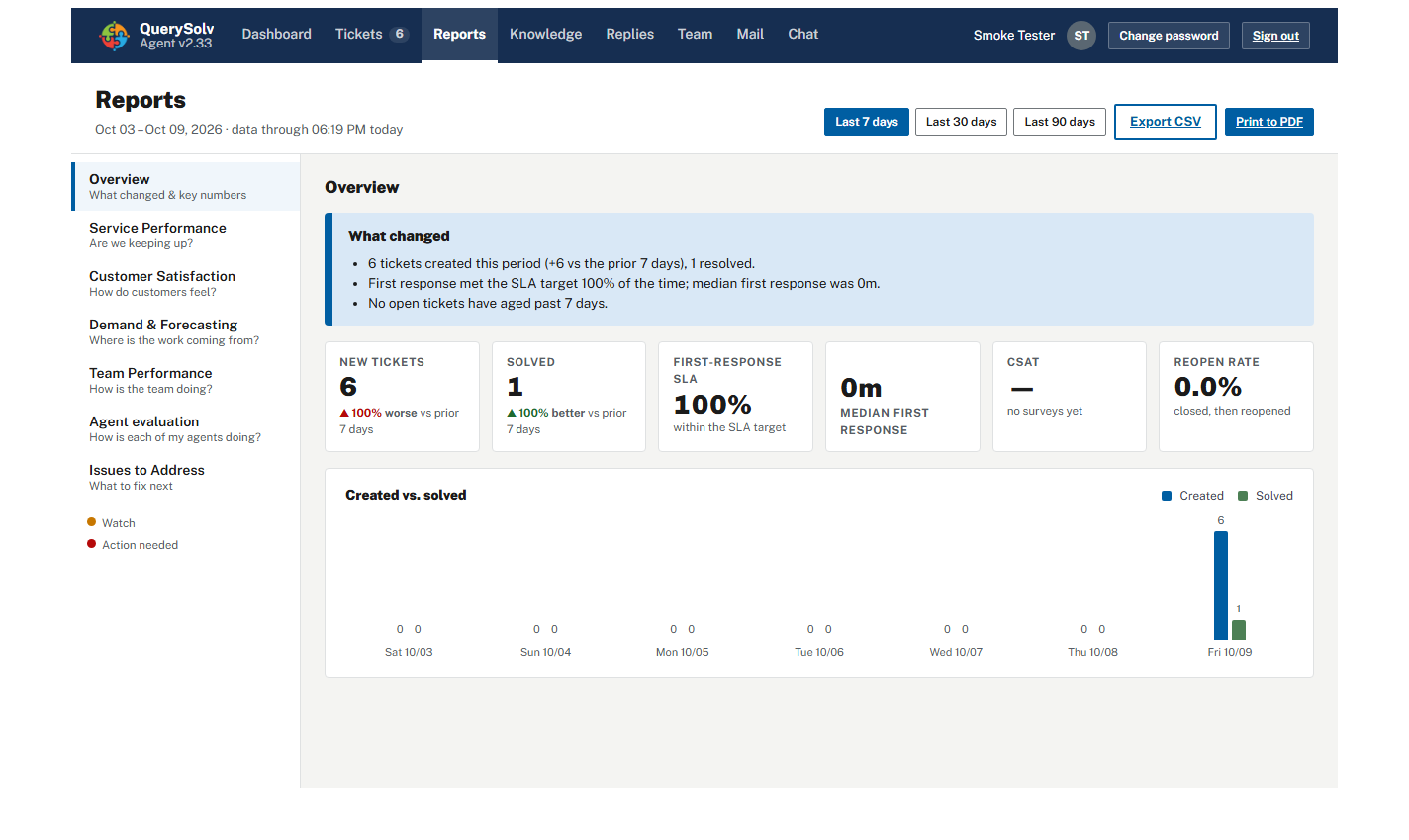
The Reports section. Each section is a question; a colored dot marks the ones off target.
Integrations Professional+
Signed webhooks
Seven ticket events, HMAC-SHA256 signatures when you set a secret, and a persistent delivery queue that retries at 1 minute, 5 minutes, 30 minutes, 2 hours and 6 hours.
A REST API with discipline
Bearer tokens shown once and stored hashed, read-only by default, with optional binding to one department. A leaked token cannot escape its department.
Active Directory sign-in
LDAPS bind, with a per-account choice of local or directory sign-in and a live Test sign-in button. Someone who has left cannot sign in once their directory account is disabled.
Optional AI drafting
With the provider you choose. See AI on your terms.
Running it
The SLA engine, AI assistance, live chat, social channels, REST API, webhooks, Active Directory sign-in and custom branding are part of the Professional and High Availability editions. Failover clustering is part of the High Availability edition. See compare editions.
Further reading from our topic library
Built for
Try it on a spare machine this afternoon
Download the installer and start the service. It runs for 30 days with every Professional edition feature and unlimited agents.
 Download Installer with Free Trial